The easiest way to log your trips
Just drive. Ajos records your trips and calculates the reimbursement.
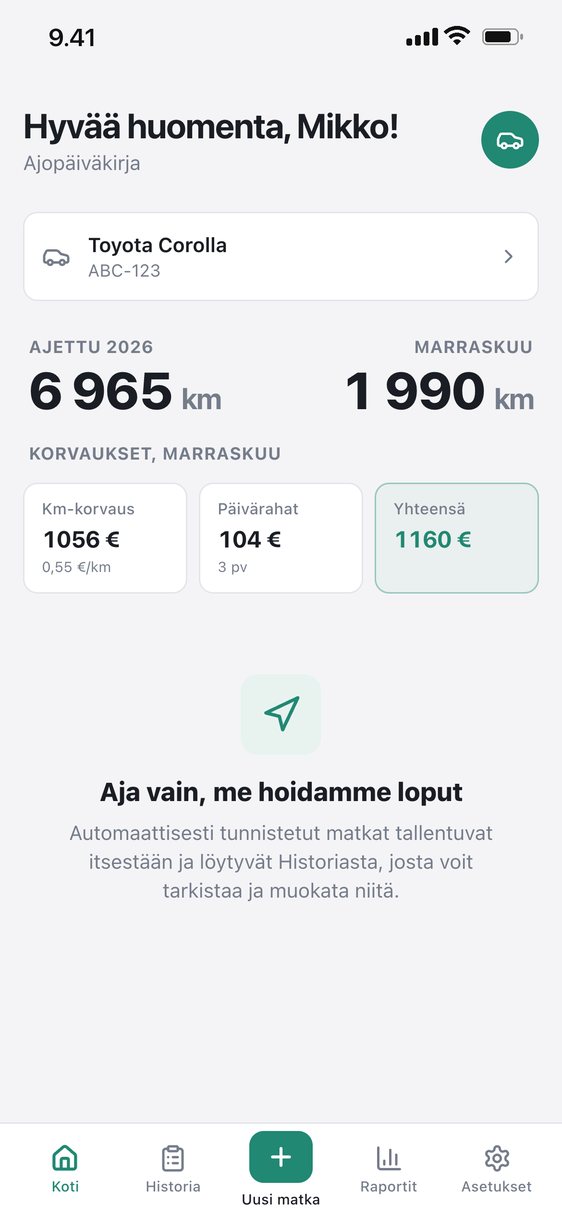
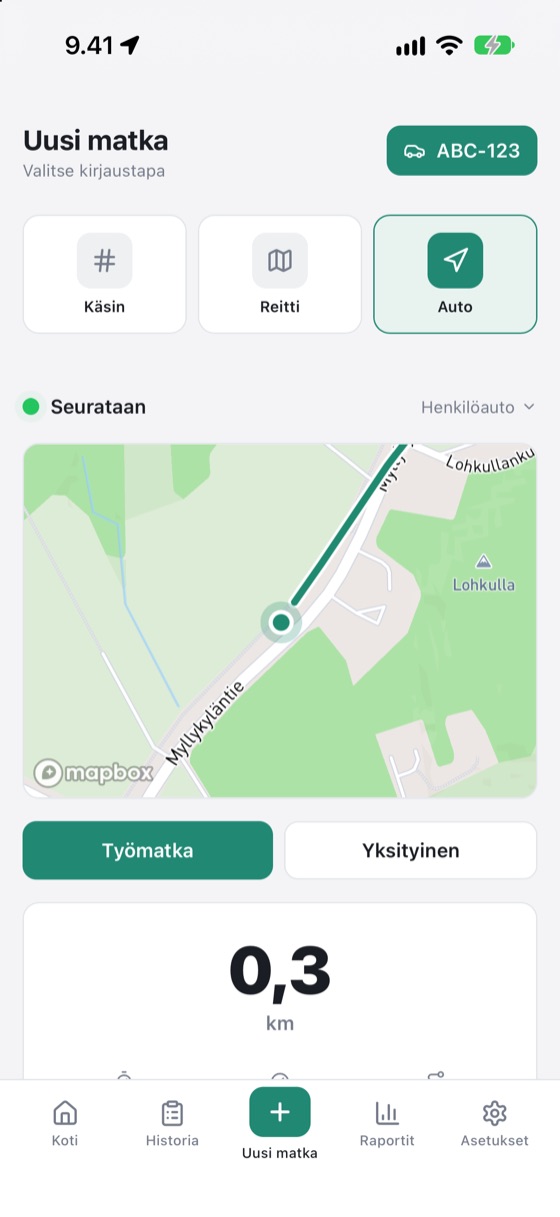
Just drive, we handle the rest
Trips start and end by themselves. A notification asks: work or private. One tap is enough: no need to open the app.
- GPS only while driving
- No Bluetooth device or other add-ons
- Trip ends at the moment of your last movement
- The route is saved on the map
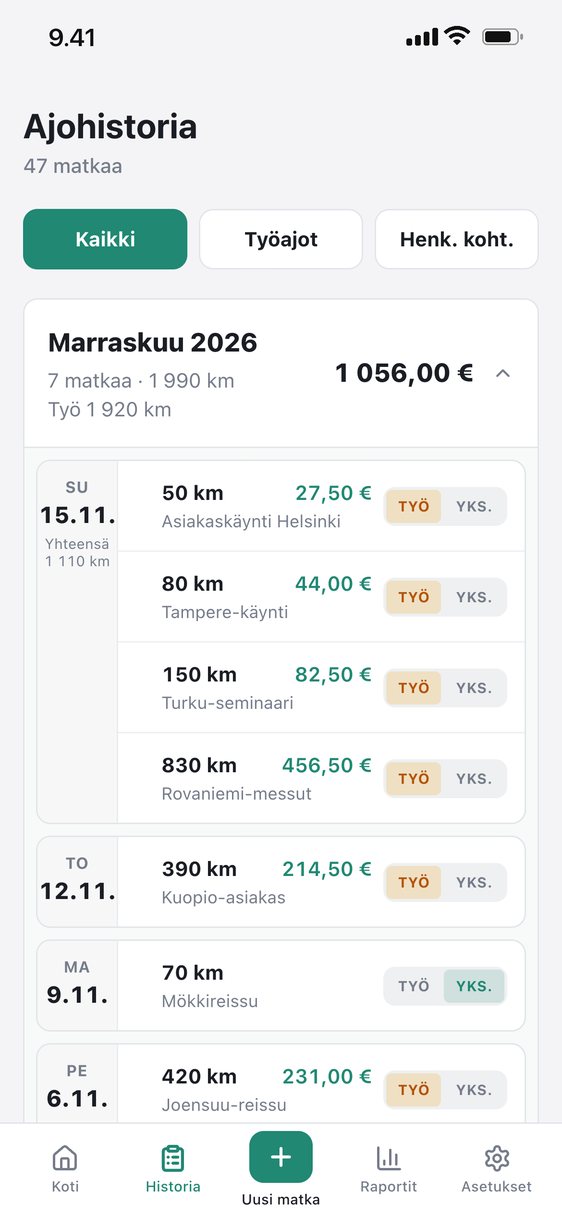
All your trips in one place
Trips are grouped by month. Review them, edit addresses and switch the purpose with one tap.
- Filter work and private trips
- A to-do list for unreviewed trips
- Multiple vehicles and plates
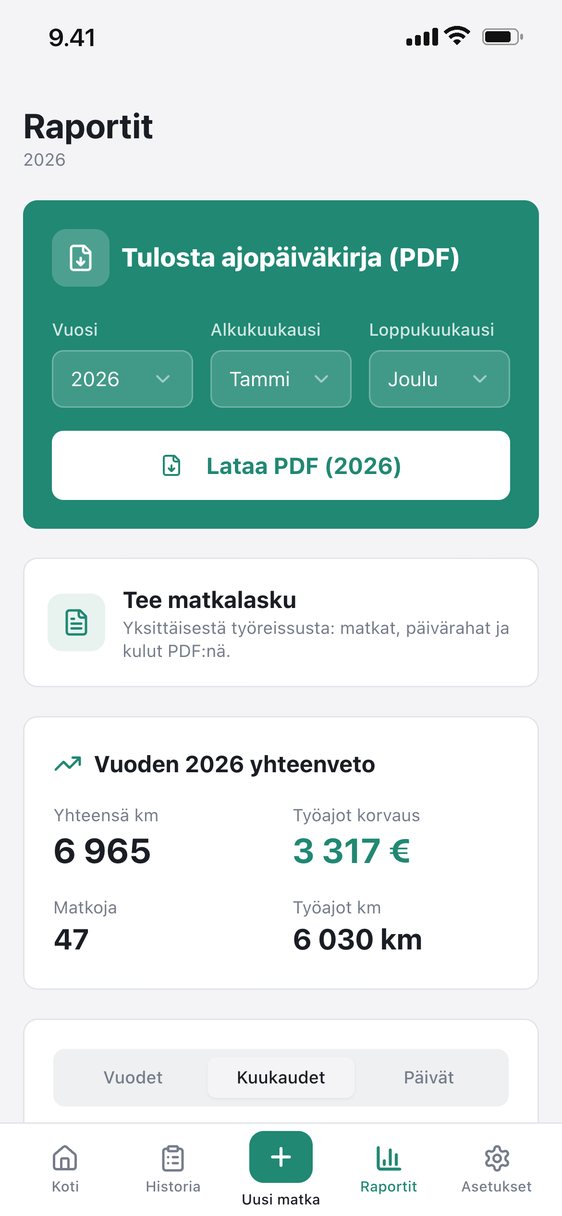
PDF or CSV, ready for your accountant
At the end of the month the report is ready: cover page, summary and breakdown. CSV opens directly in Excel.
- Rates per the Finnish Tax Administration
- Supplements: trailer, dog, passenger, forest road
- Company details and logo included
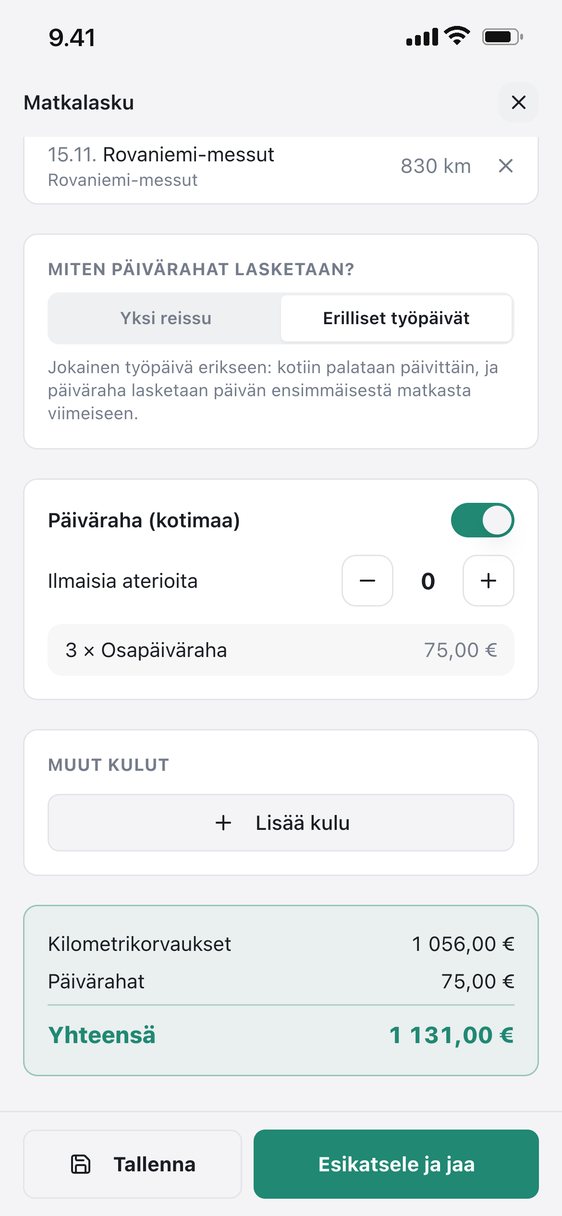
A travel claim with per diems in moments
Pick a month or a trip and Ajos gathers the work trips, calculates Finnish domestic per diems by the Tax Administration rules and makes a ready PDF. Add expenses and receipts, save and share.
- Mileage and per diems on one claim
- Other expenses and receipts as attachments
- Saved claims in Reports
- On the Plus and Pro plans
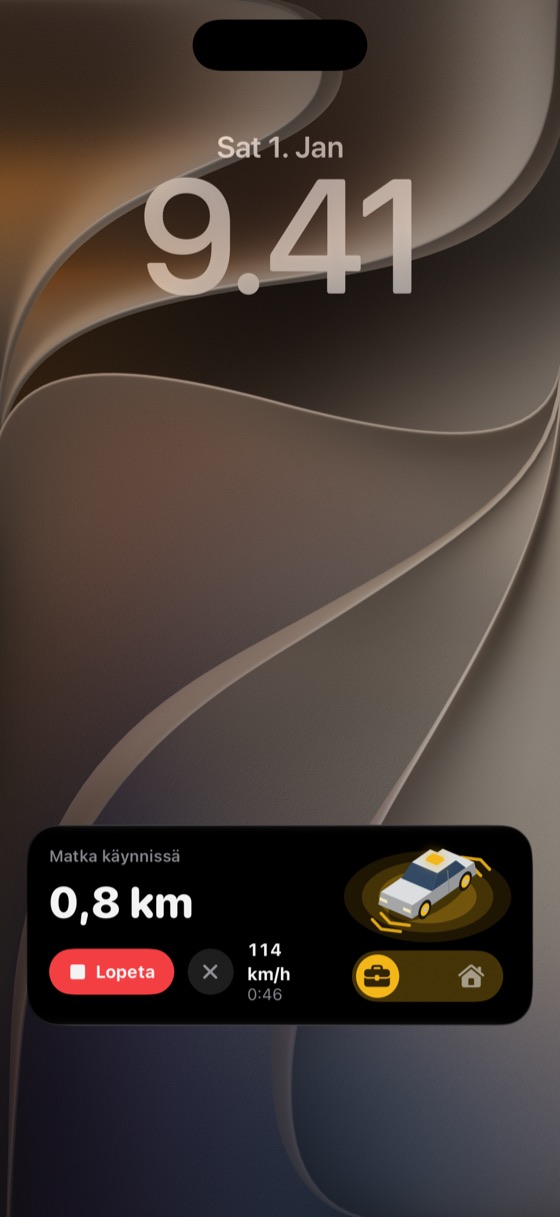
Your trip, always in view
The trip in progress shows on the lock screen and Dynamic Island. Pick the purpose or end the trip right there. Dynamic widgets make managing your trips even easier.
- Live Activity and Dynamic Island
- Work/private buttons on the lock screen
- Home and lock screen widgets
Your whole fleet in one view
Drivers log trips on their own phones. Managers and accountants see work trips, the fleet and exports in the web dashboard. Private trips stay with the driver.
- Roles: owner, manager, accountant, driver
- Employees, trips and fleet with filters
- CSV exports for accounting
Ask your AI about your drives
Connect Claude, ChatGPT or any other AI to Ajos and ask about your drives in your own words. The AI reads your trips, vehicles and totals and answers from them.
- “How many work kilometres did I drive in October?”
- “Make a CSV of November’s trips for my accountant.”
- “Which trips are still unmarked?”
- Add the connectorCopy the address below into your AI’s connectors, for example in Claude or ChatGPT settings.
- Sign inUse your Ajos account: Google, Apple or email.
- AskThe AI answers about your drives right away, with no copying or keys.
https://app.afir.fi/mcp
- Read-only: the AI cannot change or delete anything
- You can disconnect at any time
- An open API (OpenAPI) for spreadsheets and automations
Part of Plus and Pro. You are responsible for your own data once you give an outside app access: privacy policy.
Start for free
Prices include VAT. Subscribe in the App Store or on the web.
Free
Odometer entry
- Log trips with odometer readings
- Vehicles and mileage reimbursements
- PDF and CSV report as a one-time purchase, €2.99
Plus
Full manual version
or €69 / year
- Everything in Free
- Route planning and map
- Favourite places
- PDF and CSV reports
- Connect your own AI (Claude, ChatGPT)
Pro
Trips record themselves
or €99 / year
- Everything in Plus
- Automatic background tracking
- Notifications, lock screen and Dynamic Island
- Ajos AI that learns from your drives
Compare plans in detail
| Ominaisuus | Free | Plus | Pro |
|---|---|---|---|
| Logging trips | |||
| Log trips with odometer readings | ✓ | ✓ | ✓ |
| Automatic background trackingTrips record themselves, GPS only while driving | – | – | ✓ |
| After each drive: work or privateAnswer from the lock screen | – | – | ✓ |
| Default when you do not answerSchedule by days and times | – | – | ✓ |
| Lock screen and Dynamic Island | – | – | ✓ |
| Monthly widget for the home screen | ✓ | ✓ | ✓ |
| Routes and places | |||
| Route planning and map | – | ✓ | ✓ |
| Driven route on the map | – | – | ✓ |
| Favourite places: home, work and others | – | ✓ | ✓ |
| Reimbursements and reports | |||
| Finnish Tax Administration mileage ratesPassengers, trailer, forest road and other supplements | ✓ | ✓ | ✓ |
| History and monthly summaries | ✓ | ✓ | ✓ |
| PDF reportCover page and monthly breakdown, ready for bookkeeping. One-time purchase on Free. | €2.99 / report | ✓ | ✓ |
| CSV export (opens in Excel)One-time purchase on Free: the report as PDF and CSV is saved to your account. | €2.99 / report | ✓ | ✓ |
| Import old trips from CSV and Excel | – | ✓ | ✓ |
| AI | |||
| Ajos AILearns from your drives and offers more precise data and suggestions. | – | – | ✓ |
| Connect your own AILink Claude or ChatGPT to your own drive data by signing in (read-only) | – | ✓ | ✓ |
| General | |||
| Several vehicles and vehicle types | ✓ | ✓ | ✓ |
| Private trips stay private | ✓ | ✓ | ✓ |
| Free trial | – | – | 7 days |
Buy on the web → · Cancel any time in iPhone Settings. See the terms of use for details.
Frequently asked questions
Does tracking drain the battery?
We haven’t noticed a meaningful difference in battery use compared with normal use. GPS is on only while you drive. Otherwise Ajos uses the iPhone’s own motion detection and parking-area monitoring, and it does not keep Bluetooth or any other accessory connection open. You can see Ajos’s battery use in iPhone Settings → Battery.
Does automatic tracking need a Bluetooth device or other add-ons?
No. You only need an iPhone and an Ajos Pro subscription (7-day free trial). No Bluetooth beacon, OBD dongle, NFC tag or other costly accessory. Ajos detects drives with the phone’s own sensors, and any car works. Read more.
Can my employer see my private trips?
No. Managers and accountants see work trips only. Private trips stay with you.
Is the report accepted by the tax authority?
The report contains the details a driving log requires: date, start and end, kilometres or odometer readings, purpose and vehicle.
Does Ajos work on Android?
Not yet. The app is currently iPhone only.
Can my own AI assistant read my trips?
Yes, with a Plus or Pro subscription. Add Ajos as a connector (MCP) in your AI app and sign in with Google, Apple or email. The access is read-only and you can remove it at any time. You are responsible for your own data once you give an outside app access.
More answers: support and FAQ.